Guides15 Oct 202610 min read
Product photography: the complete guide for online sellers
Learn product photography for online stores: shot types, Amazon and Shopify image sizes, a step-by-step home setup, real studio costs, and where AI fits in.

Key takeaways
- Shoppers cannot touch your product, so your photos do the selling. In a 2023 US survey of more than 1,000 consumers, 83% said they would return an item if the online image did not match what arrived.
- Amazon's seller guide says to shoot against a white background (RGB 255, 255, 255) and recommends at least six images per listing. Shopify recommends 2048 x 2048 px for square images.
- Studios charge about $50 to $150 per finished image, so a 100-image catalog can cost $5,000 to $15,000.
- A clean set is possible at home with a phone and a window.
- AI can make the extra shots from one real photo. Check every result against the real item before you publish.
If you sell online, your photos are your shop window. Product photography is how you build that window, one image at a time. Buyers cannot pick the item up or read the label, so the pictures have to do that work for them.
This guide covers what product photography is, the shot types you need, the image rules that marketplaces set, a step-by-step home setup, what studios charge, and where AI helps. It is written for store owners on Shopify, Amazon, Etsy, or their own site who want a clear plan and no photography degree.
What is product photography?
Product photography is the practice of taking pictures of a physical item so a buyer can judge it on a screen. For an online store, the job covers the shoot, the editing, and the export to each platform's size rules. The photos stand in for the shelf and the shop assistant.
Product photography differs from other photography because accuracy matters more than mood. The buyer wants to see the true color and the true size. A beautiful photo that misleads is worse than a plain photo that tells the truth.
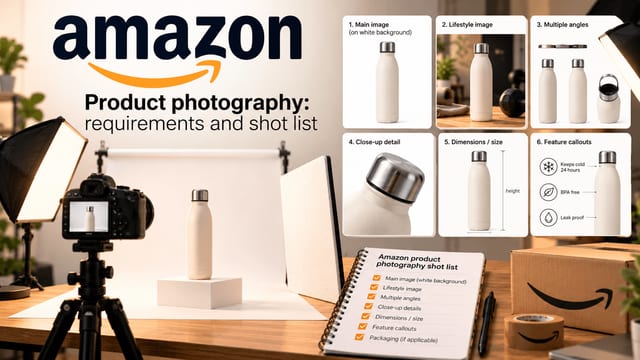
Good product photography means more than one image per listing. Amazon says every product must have at least one image and recommends at least six. That number is a useful default for any store. It gives you room for the main image, a few angles, a lifestyle scene, a scale shot, and a close-up of the detail that sells the item.
Why does product photography matter for online sellers?
Product photography matters because the image is the only thing a buyer can inspect before paying. If the photos look wrong, unclear, or different from the real item, shoppers hesitate or send the order back. Good product photography raises confidence and cuts avoidable returns.
The numbers back this up, with a caveat. A 2023 survey of more than 1,000 US consumers, run and published by Nfinite, found that 83% would return a product if the online image does not match the one they receive. The same report found that 65% are more likely to buy an item if they can see it from all angles. Nfinite ran the survey itself, so treat the figures as directional.
The lesson for a small store is practical. Accuracy beats polish. A buyer who gets exactly what the photo showed is a buyer who keeps the order and comes back.
Photos also affect how much work you do after the sale. Each return costs shipping and handling. A few extra angles and one honest close-up are cheaper than a stack of return labels.
What are the main types of product photography?
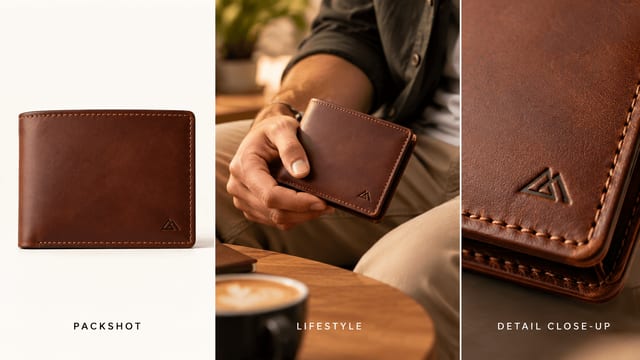
The main types of product photography are white-background packshots, lifestyle images, scale or in-hand shots, detail close-ups, multi-angle sets, and flat lays. Each type answers a different buyer question. You do not need all of them for every item, but a good listing mixes at least four.
- White-background packshot: The product alone on pure white. It is the usual first image on a marketplace listing and a clean base for any store.
- Lifestyle image: The product in a real scene, such as a mug on a kitchen table. It shows context and mood.
- Scale or in-hand shot: A hand or a familiar object next to the product. It answers "how big is it?"
- Detail close-up: A tight shot of texture, stitching, a clasp, or a label. It answers "how well is it made?"
- Multi-angle set: Front, side, back, top-down, and three-quarter views. It answers "what does the whole thing look like?"
- Flat lay: The product shot from directly above, often with a few props. It is popular for apparel and stationery.
Lifestyle images do real work. In the same Nfinite survey, 69% of shoppers said a lifestyle image is more likely to catch their attention online than a packshot. So the packshot earns trust and the lifestyle image earns the click.
Shoot the white-background main image first, because marketplaces need it. Add two or three angles next. Then add one lifestyle scene and one close-up, plus a scale shot if you have time.
What image rules do online marketplaces set?
Marketplace rules shape your product photography before you pick up a camera. Amazon asks for a white background and larger images that allow zoom. Shopify recommends square images at 2048 x 2048 px, and Etsy publishes its own size and photo-count limits. Meet the rules first.
| Platform | Background | Size guidance | File notes |
|---|---|---|---|
| Amazon | White, RGB 255, 255, 255 (shot against a white background) | Prefers images larger than 1,000 px on each side for zoom; accepts 500 to 10,000 px on the longest side | JPEG preferred; also TIFF, PNG, or non-animated GIF |
| Shopify | Not specified on the help page | 2048 x 2048 px recommended for square images; any size up to 5000 x 5000 px or 25 megapixels | Under 20 MB; PNG is best for most images, then JPEG |
Both sets of numbers come from the platforms themselves. Amazon states them on its seller photo guide, and Shopify lists them in its product media help page. Amazon also points sellers to Seller Central for category rules, so check there before you upload, because category rules can differ.
Shopify adds one more rule that is easy to miss. To make main images line up on collection pages, it says you need a consistent aspect ratio across all of them. Pick one shape, such as square, and use it for every product.
Etsy also publishes its own image requirements in its seller help center, including recommended pixel sizes and how many photos a listing can hold. Check the current page before you export, because the limits change.
A final tip on file names. Name each file after the product, for example \blue-ceramic-mug-front.jpg\, and add plain alt text in your store. Search engines and screen readers both use them.
How do you do ecommerce product photography step by step?
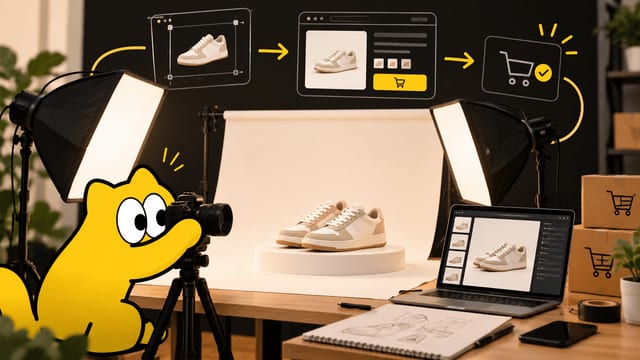
Ecommerce product photography follows seven steps: plan the shot list, set the surface, light the product, shoot with a steady camera, edit, check the platform rules, and export. You can run this whole process with a phone, a window, a white sheet, and a foam board.
- Plan the shot list. Write down every image you need per product. A sensible starter list is the main image, three angles, one lifestyle scene, and one close-up. Using the same list for every product keeps your catalog consistent.
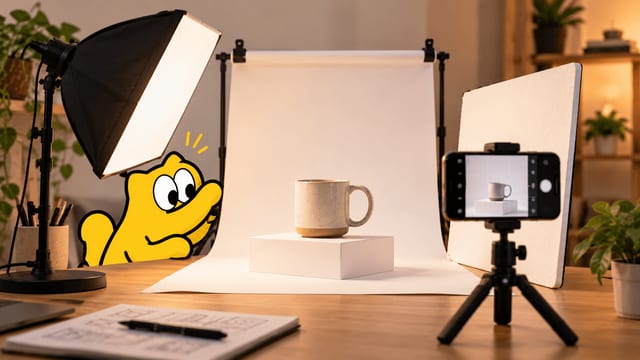
- Set the surface. Tape a large sheet of white paper or poster board to a table so it curves up the wall behind the product. That curve removes the hard line between table and wall. For small items, a foam board works well.
- Light the product. Place the table next to a window with soft daylight, and turn off the room lamps. Mixed light sources give odd color casts. Put a white foam board on the opposite side of the product to bounce light into the dark side.
- Steady the camera. Put your phone on a tripod or a stack of books at the same height as the product. Turn on the grid lines. Amazon's own do-it-yourself tips say to have the product fill 85% or more of the frame, which is a good rule for any store.
- Shoot every angle. Keep the distance and height the same across the set. Wipe fingerprints and dust first, because they show up on a white background. Take extra shots, since a retake costs nothing.
- Edit lightly. Crop to your store's shape, set the exposure so the background reads as clean white, and remove dust spots. Do not change the color of the product. Shoppers will notice when it arrives.
- Export to spec. Save as JPEG or PNG at the size your platform wants. For a Shopify store with square images, export at 2048 x 2048 px.
Two habits make the biggest difference. First, shoot every product in the same place with the same light, so the store looks like one brand. Second, shoot a small batch of products in one sitting. Setting up once and shooting ten products is far faster than setting up ten times.
Phones are good enough for ecommerce product photography. Modern phone cameras handle white backdrops and small items well. The weak point is almost always the light and the steadiness of the camera. If you only fix one thing, fix the light.
How much does product photography cost?
Professional product photography costs about $50 to $150 per finished image, $75 to $200 per product, or $150 to $300 per hour, depending on how the studio prices the job. Rush work adds a premium and reshoots cost extra. Doing your own product photography costs mostly your time plus a few cheap supplies.
These figures come from one tool vendor's published price guide, dated October 2026, so treat them as a market range, not a quote. Omi's cost breakdown lists three common pricing models:
- Per hour: $150 to $300 per hour, which covers light setup, shooting, cleanup, and feedback time.
- Per product: $75 to $200 per item, which covers several standard angles, basic editing, and a few revision rounds.
- Per finished image: $50 to $150 per image, including post-production and files for each platform.
The same guide lists the line items behind a shoot. Studio space runs $50 to $200 per hour. A photographer is $75 to $150 per hour, and a stylist is $50 to $100 per hour. Rush work adds a 50% premium, and each reshoot costs 25% to 50% of the original session.
Here is the math for a typical small store. At $50 to $150 per finished image, a catalog of 20 products with five images each is 100 images, which comes to $5,000 to $15,000. That is fine for a flagship product. It is hard to justify for a shop that adds new items every week.
So the honest answer is that studios are worth it for a hero product or a brand launch, and for any shoot that needs a model or a complex set. For everyday catalog work, home product photography or an AI-assisted workflow usually makes more sense.
Can AI replace a product photography shoot?
AI can replace part of a product photography shoot, but not all of it. It works well for new backgrounds, lifestyle scenes, extra angles, color variants, and resizing. It works poorly when the buyer must judge exact color, fabric texture, fine print, or fit. Those cases need the real item in front of a camera.
Think of it as a split. Shoot one sharp, honest photo of the real product. Then use AI to make the supporting images that would otherwise need props or extra shoots. The part buyers trust most stays tied to the real item.
Here is where AI is the wrong choice, and where we would tell you to pick up a camera instead.
- You sell a handful of items, once. A phone and a window cost less than learning a new tool.
- The item's color is the whole point, such as paint or makeup. Generated images can drift, and the 83% return figure from the survey above shows what a mismatch costs.
- The item has small text or a detailed logo that must be exact. Always zoom in and check.
- A marketplace requires a real photo for a certain slot. Read the category rules before you generate anything.
The rule that covers all of this is simple. Before you publish any generated image, put it next to the real product and look for differences in shape, color, logo, and material. If you find one, fix it or reshoot.
How do you make product photos with Sloosh?
Sloosh is an AI creative studio for images and video. For product photos, the fastest route for product photography is a Space, which is a ready-made workflow behind a short form: you upload a product photo, run it, and download the results. The three Spaces below cover most store needs. Sloosh is in beta, so expect some rough edges.
- White Background Product Studio: Upload one or more product photos and replace distracting backdrops with a crisp white setting. The page describes the result as an even, solid white background suitable for online catalogs.
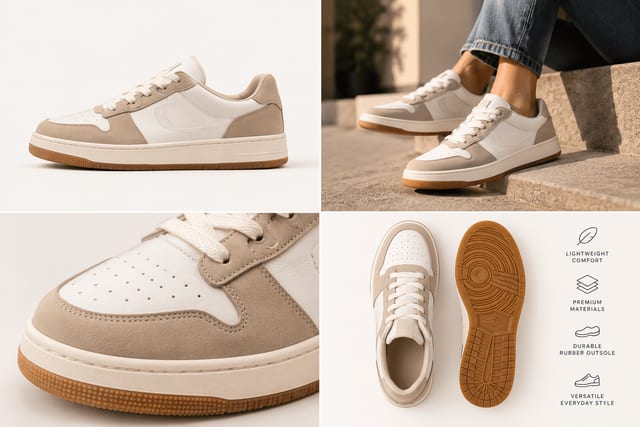
- Amazon Listing Pack: Upload one product photo and get four square images: a main image on white, a lifestyle shot, an in-hand scale shot, and a macro detail. Sloosh says the set also works for Shopify and Etsy.
- Product Multi-Angle Shots: Turn one photo into five studio shots: front, three-quarter, side, back, and top-down, on a light-grey backdrop. The description says the shape, colors, materials, and logos stay consistent.
Here is the workflow.
- Sign up. New accounts get 20 starter credits once. The pricing page explains plans and how credits are counted.
- Take one clean photo. Use the home setup above. The Spaces work well when the whole product is visible and nothing covers it.
- Pick a Space and upload. Fill in the form. Anyone with the link to a Space can run it, so you can share one with a teammate.
- Check the price, then run. Sloosh shows the credit cost on the generate button before you run anything. Credits for a failed generation come back.
- Compare with the real item. Check shape, color, logo, and material. Then check the marketplace's current rules before you upload.
If you have a long catalog, batch runs are available on Pro and Max plans, so one workflow can run across a list of products. For custom looks, browse the product shots templates and the marketplace listing templates, or build your own steps by following the guide to building an AI image workflow in Sloosh. If you are unsure whether you need a Space or a custom canvas, this comparison of Space and Spacelab explains the difference.
The Product Multi-Angle Shots page says outputs can be used in ads, stores, and social posts, as long as you have the rights to the product and any people in the photos you upload.
What should you shoot first?
Start with one product and the white-background main image. Shoot it at home with a window and a white sheet, then add two angles and one close-up. Once that set looks right, use it as the template for the product photography across your whole store.
If you want the extra shots without the props and the second shoot, you can have Sloosh build them from that same photo. Sign up for Sloosh, then run your clean main image through the Amazon Listing Pack. Compare the four results with the real product before you publish.
Questions
- Can I take good product photos with my phone?
- Yes. Modern phones are good enough for catalog work. The two things that matter most are soft window light and a steady camera, so use a tripod or a stack of books. Shoot at the same height and distance for every angle, and keep the product clean.
- What size should product photos be?
- It depends on the platform. Amazon prefers images larger than 1,000 px on each side so shoppers can zoom. Shopify recommends 2048 x 2048 px for square images. Export at the larger of your platforms' needs, and keep one consistent shape across the store.
- Do I need a white background for every product photo?
- Amazon expects a white background (RGB 255, 255, 255) for product shots. Shopify's help page sets no background rule, but it asks you to keep a consistent aspect ratio across your images. A white main image is a safe default, and lifestyle shots can use any scene.
- How many photos should each listing have?
- Amazon requires at least one image and recommends at least six. A good starting set is a white-background main image, three angles, one lifestyle scene, and one detail close-up. Add a scale shot if buyers often ask about size.
- What is the difference between a packshot and a lifestyle photo?
- A packshot shows the product alone, usually on white, so buyers see it clearly. A lifestyle photo places it in a real scene, such as on a desk or in a hand, so buyers picture it in use. Most listings need both.
- How do starter credits work in Sloosh?
- A new Sloosh account gets 20 starter credits once, so you can try Studio and Spaces before you pay. Each generation costs credits, and the cost appears before you run. Credits for a failed generation are returned. When they run out, you can buy a top-up or pick a plan.
Try it in Sloosh
Open the space from this post and run it on your own product.