Product21 Oct 20264 min read
Sloosh plugins for Claude: Shopify stores and motion films
The Sloosh plugin adds six creative skills to Claude. Two new packs add Shopify catalog shoots and ads, and stylised motion films that render on your computer.

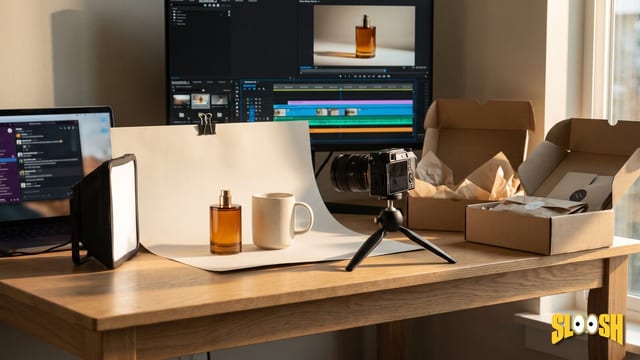
The Sloosh plugin connects Claude to your Sloosh workspace. It adds six skills, so you can ask for a product shoot, an ad set or a short film in plain words. Two new packs build on it. Sloosh for Shopify stores turns the products in your store into catalog images, launch ads and product page videos. Sloosh motion films directs and renders stylised short films on your computer.
What the Sloosh plugin adds
- Product imagery: studio photos, lifestyle scenes and edits of your product.
- Ad variants: sets of ads in the sizes your channels use.
- Published Spaces: find and run the Spaces in your workspace.
- Product video: short clips from a product image.
- UGC storyboards: a storyboard and the shots for a creator-style ad.
- Launch films: a launch film cut to your voiceover, rendered on your computer.
Each pack is a separate plugin that needs the core plugin. Install the core plugin first.
/plugin marketplace add Shop-OS/sloosh-plugin
/plugin install sloosh@sloosh
Then run /mcp, select sloosh and sign in to Sloosh. In the Claude app, open Customize, then Plugins, and upload the plugin ZIP from the Sloosh MCP page. In Codex, add the same marketplace with codex plugin marketplace add Shop-OS/sloosh-plugin.
Sloosh for Shopify stores
Sloosh for Shopify stores turns the products in your Shopify store into catalog images, launch ads with copy and short product page videos. It reads your products and your brand, saves a brand kit once, and uses that brand kit in every request. It works in Claude Code, Cowork and the Claude app. It adds five skills:
- start: checks your connections, finds or makes your brand kit and suggests a first job.
- brand-kit: writes sloosh-brand.md with your voice, colours, type, logo, photo style and hero products.
- catalog-shoot: catalog and lifestyle images for several products, in the aspect ratios your channels use.
- pdp-video: short product page videos, made from a start frame for each product.
- launch-ads: ad images and ad copy for a launch, sized for each channel.
How it gets your products
The pack tries these sources in order and stops at the first one that works:
- A Shopify connector in the conversation, such as the official Shopify connector.
- In a coding agent, the Shopify CLI, if it is already set up for your store.
- The public product data of your storefront.
- Product page URLs or image URLs that you paste.
The pack reads products and basic shop information only. It never reads orders, customers, discounts or analytics. It never changes your store and never posts to your ad accounts.
/plugin install sloosh-shopify@sloosh
/sloosh-shopify:start
Sloosh motion films
Sloosh motion films makes stylised short films on your computer. Claude plans the film on a beat grid, builds the type and interface layers, composites the frames, adds sound and checks the result. When a shot is missing, Claude makes stills and clips with Sloosh. It adds seven film styles:
- Product reveal: light sweeps, macro details and a packshot end card.
- Aura farming edit: a fast, beat-synced hype edit with speed ramps, flashes and bold type.
- SaaS product video: a software walkthrough or a short feature announcement.
- Kinetic typography: a words-only film on the beat.
- Glitch FX: signal loss, RGB splits, scan lines and HUD type.
- Morph shapeshift: shape and logo morphs, liquid transitions and shard breaks.
- Dot-matrix particles: dots and particles that form a product, a logo or data.
How a film is made
- Claude asks for the brief: the product, the words, the format (9:16, 16:9, 1:1 or 4:5), the length and any music.
- Claude sets up a film folder in your project.
- Claude writes the timeline on the beat grid and makes placeholder shots, so you see the cut before you spend.
- For missing shots, Claude plans Sloosh stills or clips in rounds of up to eight, quotes each round and waits for your approval.
- Claude renders the film, mixes the sound and checks the final file.
What you need
The films render locally. Use a coding agent that runs commands on your computer, such as Claude Code. You need Python 3.9 or later with numpy, OpenCV and SciPy, ffmpeg, and Playwright with its Chromium browser. Claude asks you before it installs anything. A film made only from your own photos and footage uses no Sloosh credits.
/plugin install sloosh-motion@sloosh
You approve every paid run
Sloosh uses the credits and the daily spending allowance of the workspace you connect. Claude gets a quote before it makes anything. It groups the work into rounds, shows each item with its quoted credits and the round total, and asks for one approval per round. If a round costs more than the allowance left today, Claude gives you the Sloosh settings link and does not run it. Claude cannot raise your allowance, buy credits or change your plan.
Prompts to try
Set up Sloosh for my Shopify store.
Shoot lifestyle images in 4:5 for the five mugs in my Ceramics collection.
Create launch ads with copy for Instagram and TikTok for our new sneaker.
Make a 12-second dark luxury product reveal of our perfume bottle, 9:16.
Make a 30-second walkthrough video of our dashboard app, 16:9.
Questions
- Do I need the core Sloosh plugin?
- Yes. Both packs use the Sloosh tools from the core plugin. Install it first and connect your workspace.
- Can the Shopify pack change my store?
- No. It reads products and basic shop information only. It never creates, changes or deletes anything in your store, and it never posts to ad accounts.
- Can I make motion films in the Claude app?
- No. Motion films render on your computer, so they need a coding agent that runs local commands, such as Claude Code. In the Claude app, use the core plugin's video skills.
- Do the plugins work outside Claude?
- Yes. Codex installs the plugins from the same marketplace. Cursor, Gemini CLI and other agents can connect to https://mcp.sloosh.ai/mcp and install the skills.
Try it in Sloosh
Make an image in Studio with what you just read.