Fashion · Foundations · 3 min
Read the canvas behind a Space
You can point at the node behind every field on the form.
Start a new canvas
Open Spacelab to get an empty canvas. You will add 10 nodes and 12 wires.
Start a new canvas
Open Spacelab to get an empty canvas. You will add 10 nodes and 12 wires.
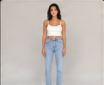
Add Image Input: Model photo
One image.
Add Prompt: Front prompt
Text you write on the node, passed on to a model.
Add Prompt: Back prompt
Text you write on the node, passed on to a model.
Add Prompt: Side prompt
Text you write on the node, passed on to a model.
Add Prompt: Close-up prompt
Text you write on the node, passed on to a model.
Add Image Model: Front
Makes an image from a prompt and, optionally, reference images. Wire Model photo and Front prompt into it.
Add Image Model: Back
Makes an image from a prompt and, optionally, reference images. Wire Model photo and Back prompt into it.
Add Image Model: Side
Makes an image from a prompt and, optionally, reference images. Wire Model photo and Side prompt into it.
Add Image Model: Close-up
Makes an image from a prompt and, optionally, reference images. Wire Model photo and Close-up prompt into it.
Add Download
Wire images and videos into it and it gives you a download button on the canvas. Wire Front and Back and Side and Close-up into it.
Press Run
Press Run. Each node waits for its inputs, then runs and shows its status.
Check the result
You can point at the node behind every field on the form.
Your turn
Run it again, move the nodes around and try a wrong wire: the canvas only connects ports that fit. It is your canvas now.