Fashion · Intermediate · 5 min
A lookbook that matches
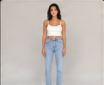
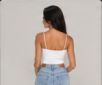
Every shot in the set shares one light and one grade.
Start a new canvas
Open Spacelab to get an empty canvas. You will add 5 nodes and 4 wires.
Start a new canvas
Open Spacelab to get an empty canvas. You will add 5 nodes and 4 wires.
Add Multi Image Input: Lookbook
Several images on one node, sent down one wire as a set.
Add Image Iterator
The same for images: everything after it runs once per image. Wire Lookbook into it.
Add Colour Grade: Warm grade
Adjusts exposure, contrast, highlights, shadows, temperature, tint, saturation and hue, on an image or a video. Wire Image Iterator into it.
Add Bundle
Collects the results of an iterator back into one set, which you can wire into a port that takes several images. Wire Warm grade into it.
Add Download
Wire images and videos into it and it gives you a download button on the canvas. Wire Bundle into it.
Press Run
Press Run. Each node waits for its inputs, then runs and shows its status.
Check the result
Every shot in the set shares one light and one grade.
Your turn
Run it again, move the nodes around and try a wrong wire: the canvas only connects ports that fit. It is your canvas now.