Real estate · Foundations · 4 min
Tidy room photos
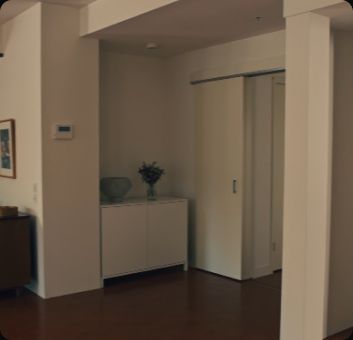
The same room with the clutter gone and every fixture kept.
Start a new canvas
Open Spacelab to get an empty canvas. You will add 5 nodes and 4 wires.
Start a new canvas
Open Spacelab to get an empty canvas. You will add 5 nodes and 4 wires.
Add Image Input: Photo
One image.
Add Prompt
Text you write on the node, passed on to a model.
Add Image Model: Edit
Makes an image from a prompt and, optionally, reference images. Wire Photo and Prompt into it.
Add Image Resize
Resizes an image to exact pixels. Wire Edit into it.
Add Download
Wire images and videos into it and it gives you a download button on the canvas. Wire Image Resize into it.
Press Run
Press Run. Each node waits for its inputs, then runs and shows its status.
Check the result
The same room with the clutter gone and every fixture kept.
Your turn
Run it again, move the nodes around and try a wrong wire: the canvas only connects ports that fit. It is your canvas now.
Try next
A blue hour version of one listing photo, resized for the listing.
A clip that moves from the bare room to the finished one.


A scored, captioned reel of the area around a listing.